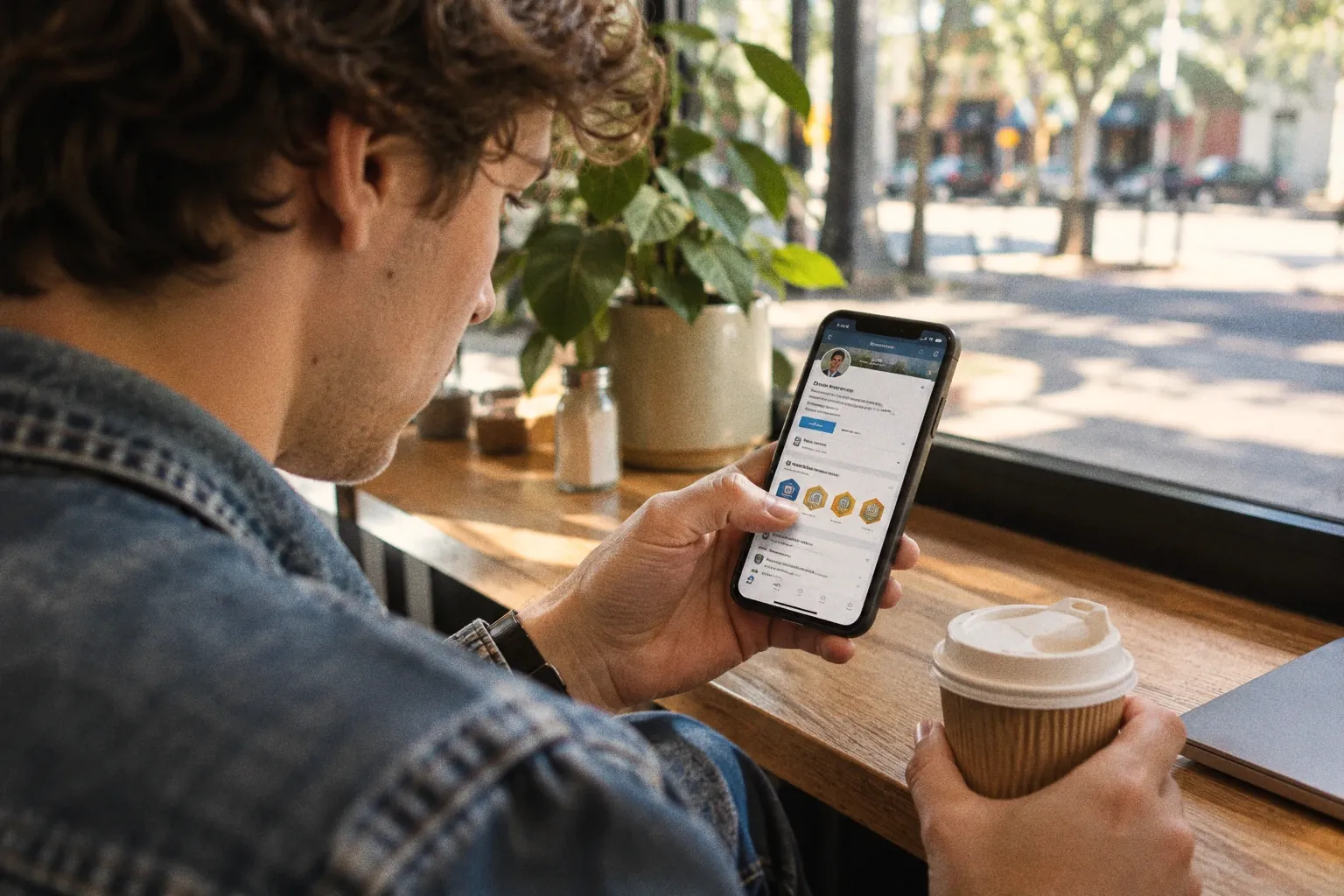
A LinkedIn digital badge is a course certificate or credential shown in the Licences and certifications section of a profile; anyone checking it clicks through to the issuer. In 2026 LinkedIn added its own verified signals for jobs, schools and app use. A Coursera trial found that making certificates easier to share raised new employment by 6%.
Key takeaways
- In late September 2026, LinkedIn began testing confirmations from colleagues and classmates for the work and education history on a profile; it says 115 million members and more than 700,000 companies are already verified.
- Since June 2026, apps connected to a profile post a usage description the member can't edit; a 5 November 2026 Adobe Express help page says its skills now appear on LinkedIn 'as verified credentials'.
- A course badge added through a service such as Credly is still verified on the issuer's page, not by LinkedIn: viewers click 'See Credential' to check it.
- In a randomised trial with Coursera learners in developing countries without degrees, two-click sharing to LinkedIn plus reminders raised new employment by 6%, and by 12% for the least employable third.
- In the same study, a certificate added 15 to 20 points to the perceived quality of a weak CV (out of 100) and almost nothing to a strong one.
Getting a course certificate onto a LinkedIn profile is worth more than it looks, at least for some learners. In a randomised trial with more than 800,000 Coursera certificate earners in developing countries, all without college degrees, a two-click “add to LinkedIn” feature and two reminders raised new employment by 6% within a year. Most of the gain went to the learners whose CVs were weakest (Athey & Palikot, 2025). That’s one platform and one population, but it lands as LinkedIn changes what a profile can prove. Since January, LinkedIn has added verified signals for skills, jobs, schools and the apps people use. A course badge still sits in the same place it always did, checked on the issuer’s page rather than by LinkedIn.
What changed
Two developments in the past two months build on a year of profile changes.
Colleagues and classmates can now vouch for a profile. In late September 2026, LinkedIn began testing a way for members to confirm the work and education history of people they worked or studied with. Once a member gets enough confirmations, LinkedIn adds a verification badge to their profile, and members can opt out (Help Net Security, 2026; Social Media Today, 2026). A confirmation says only that two people overlapped: “People can confirm that they worked or studied with someone during the period listed on that person’s profile” (Malwarebytes, 2026). The same update lets admins of verified company pages remove people who falsely claim to work there, and adds Truecaller and PeerSpot to the sites where members can show their LinkedIn verification. LinkedIn’s existing tools have verified “115 million members and more than 700,000 companies”.
More apps can write to your profile. On 17 June 2026, LinkedIn launched connected apps. A member links an app they use, and “each app generates a simple statement based on your real activity”. The statement “is provided by the app and cannot be edited”, and the most engaged users get a “Top User” signal. LinkedIn said more than a million members had connected apps (LinkedIn, 2026a). Duolingo, Descript and Replit were among the first; Adobe Express, GitHub and Zapier were listed as coming (Social Media Today, 2026b). Adobe Express is now live: its help page, last updated on 5 November 2026, says that as you create designs “you unlock skills”, and that “Your selected skills sync to LinkedIn and appear on your profile as verified credentials” (Adobe, 2026).
Both build on January’s launch of verified AI skills, where tool makers including Descript, Lovable, Relay.app and Replit “assess your proficiency based on your usage of their product” and issue a certificate the member can show on their profile (LinkedIn, 2026b). LinkedIn’s Pat Whelan told Computerworld that certification from the companies themselves is more trustworthy than self-reported skills (Shah, 2026).
LinkedIn members verified, alongside 700,000+ companies (LinkedIn's figure, September 2026)
rise in new employment when sharing a certificate to LinkedIn took two clicks
employment gain for the least employable third of learners in the same trial
What hasn’t changed: the course badge
None of this verifies a course certificate. A badge from a course or a credentialing service still goes in the Licences and certifications section, and the checking still happens elsewhere. In Credly’s flow, for example, the learner connects LinkedIn once and chooses “Add to profile”; anyone viewing it can “click ‘See Credential’ to access the full badge details on Credly”, where they can check it’s genuine and see the skills and earning criteria (The Tax Institute, 2026). Our piece on Open Badges 3.0 covers how signed, verifiable badges make that check sturdier.
So a profile now carries signals of different strength side by side: a job confirmed by colleagues, an app description the member can’t edit, a tool maker’s skill certificate, and a course badge the learner chose to add. A recruiter can see the first three without leaving LinkedIn. The course badge asks them to click.
What the evidence says
The best evidence we’ve found on course credentials and LinkedIn comes from Susan Athey and Emil Palikot’s experiment, revised in November 2025 and not yet peer reviewed (Athey & Palikot, 2025). Between September 2022 and March 2023, Coursera randomly gave some new certificate earners a notification offering to “Add the certificate to your LinkedIn profile in just two clicks”, plus one follow-up. Everyone else could still share, by copying the certificate link into LinkedIn by hand. The treatment group was 17.3% more likely to share, and the authors tracked jobs for about 37,000 learners whose LinkedIn profiles they could match:
The gains weren’t spread evenly:
A separate test in the paper points the same way. When the authors scored CVs with and without a certificate, it improved perceived candidate quality by 8.5 points on a 100-point scale on average, “with effects of 15-20 points for weak resumes but near-zero for strong resumes.”
We’d read this as moderate evidence that visibility matters: a credential nobody sees can’t signal anything, and the people with the least else to show gain most from making it seen. The limits are real. Jobs were measured from members’ own LinkedIn updates, the learners who share are probably more career-minded than most, outcomes were tracked for under a year, and every participant was from a developing country without a degree. An older experiment adds a ceiling: in hiring simulations with online respondents rating a hypothetical web developer, a MOOC certificate was strongly preferred to no credential, but every traditional degree was preferred to the MOOC (Rivas et al., 2020). A course badge helps most where it fills a gap, not where it competes with a degree.
Why it matters for people who build courses
If a two-click share moved employment for the learners who needed it most, the share button is part of the course. Most course creators treat the certificate as the end of the learning design and the LinkedIn step as the learner’s business. The Coursera trial suggests that friction at that step costs some learners real opportunities.
The 2026 changes also raise the bar for what a course badge has to say. Sitting next to colleague-confirmed jobs and app-written skill descriptions, a badge that says only “completed” looks thin. When a recruiter does click through, the issuer’s page is the whole case: the criteria, the assessment and the skills.
What we’d do
- Put the LinkedIn step in the course. On the completion page and in the completion email, give learners the add-to-profile link and one sentence on why it’s worth doing. Remind them once more a few days later, as the trial did. If you use a credentialing service, check that its badges have a direct add-to-profile option rather than a download.
- Make the click-through worth it. The page a recruiter lands on should say what the learner did, in the observable terms of your learning objectives, and how it was assessed. Award the badge for assessed work, as the assessment section of our online course design checklist sets out.
- Know what your platform gives you. Check whether your course platform’s certificates include a LinkedIn Add to Profile link and a public verification page. Thinkific and LearnWorlds support both capabilities, while Kajabi provides shareable certificate URLs but does not document a native LinkedIn profile integration. Teachable’s native documentation is less clear on both features. If yours doesn’t provide them, a credentialing service such as Accredible or Credly can add a more professional layer of credential issuing, sharing and verification.
- Don’t oversell it to learners. The evidence is strongest for people without a degree and with little else on their profile. For an experienced professional, a course badge is a detail, not a door-opener. Say so, and your learners will trust the rest of your advice.
What to watch next
Watch which tools join connected apps and verified skills, and whether any course or credentialing platform becomes one. If a course platform could write a non-editable, assessment-backed statement to a learner’s profile, the gap between a course badge and the other signals would close. Until then, the course badge is the one the learner has to add and the recruiter has to click, so make both steps easy. For the wider picture on credentials, see our piece on microcredentials in higher education.
Reader poll
Two quick questions about how you work.
Answer to see the results
Bars show how readers of this page answered. Answers are anonymous. It is a reader poll, not a representative survey.
Questions people ask
What is a LinkedIn digital badge?
Usually, a certificate or digital badge from a course, exam or programme that a member adds to the Licences and certifications section of their profile. The badge itself is issued by the course provider or a credentialing service such as Credly. Anyone viewing the profile can click through to the issuer's page to check what it was awarded for and that it is genuine.
How do I add a digital badge to LinkedIn?
If your badge comes from a credentialing service, open it there and use its share or 'add to profile' option, which fills in the Licences and certifications entry for you. Credly, for example, asks you to connect LinkedIn once, then choose 'Add to profile'. Otherwise you can add the entry by hand and paste in the credential's URL so viewers can check it.
Does LinkedIn verify certifications?
For most course certificates, no: verification happens on the issuer's page, which the profile links to. LinkedIn's own verification covers identity, workplace and, in testing since September 2026, colleague and classmate confirmation of work and education history. Separately, partner apps can post skill credentials or usage descriptions that the member can't edit.
What are LinkedIn connected apps?
A profile section launched on 17 June 2026. A member links an app they use, such as Descript or Duolingo, and the app writes a short description of how they use it, based on their real activity. The member can't edit it, and it updates as their usage changes. LinkedIn said more than a million members had connected apps at launch.
Does sharing a certificate on LinkedIn help you get a job?
There is some evidence it can. In a randomised trial with Coursera learners from developing countries who lacked degrees, making sharing easier raised new employment within a year by about 6%, with most of the gain among the least employable learners. The study measured jobs from LinkedIn updates and didn't test other groups of learners.
Sources
- Athey, S., & Palikot, E. (2025). The Value of Non-Traditional Credentials in the Labor Market. arXiv:2405.00247, version 2, revised 5 November 2025. https://doi.org/10.48550/arXiv.2405.00247
- Help Net Security (2026). LinkedIn tests a way for connections to verify your work history. Help Net Security, 28 September 2026. https://www.helpnetsecurity.com/2026/09/28/linkedin-profile-verification-features/
- Malwarebytes (2026). LinkedIn adds new checks for fake profiles and work histories. Malwarebytes Labs, 25 September 2026. https://www.malwarebytes.com/blog/news/2026/09/linkedin-adds-new-checks-for-fake-profiles-and-work-histories
- Hutchinson, A. (Social Media Today) (2026). LinkedIn expands verifications. Social Media Today, 23 September 2026. https://www.socialmediatoday.com/news/linkedin-expands-verifications/831212/
- Adobe (2026). Share Adobe Express skills on LinkedIn. Adobe Express help, last updated 5 November 2026. https://helpx.adobe.com/express/web/publish-and-share/share-to-social-media/linkedin-skills.html
- LinkedIn (2026). Visibility builds credibility: the tools you use every day, now visible on your LinkedIn profile. LinkedIn Pressroom, 17 June 2026. https://news.linkedin.com/2026/visibility-builds-credibility---the-tools-you-use-every-day--now
- Hutchinson, A. (Social Media Today) (2026). LinkedIn adds more digital skills visibility. Social Media Today, 17 June 2026. https://www.socialmediatoday.com/news/linkedin-adds-more-digital-skills-visibility/823219/
- LinkedIn (2026). LinkedIn Gives Professionals the Edge with Verified Skills and Tools to Navigate the Job Search. LinkedIn Pressroom, 26 January 2026. https://news.linkedin.com/2026/Professional_Edge_Skills_Verified
- Shah, A. (Computerworld) (2026). LinkedIn moves to offer skill validations in the AI era. Computerworld, 26 February 2026. https://www.computerworld.com/article/4137409/linkedin-moves-to-offer-skill-validations-in-the-ai-era.html
- The Tax Institute (2026). How to upload a Credly digital badge to your LinkedIn profile. The Tax Institute, 29 April 2026. https://www.taxinstitute.com.au/insights/articles/2026/how-to-upload-a-credly-digital-badge-to-your-linkedin-profile
- Rivas, M. J., Baker, R. B., & Evans, B. J. (2020). Do MOOCs Make You More Marketable? An Experimental Analysis of the Value of MOOCs Relative to Traditional Credentials and Experience. AERA Open, 6. https://doi.org/10.1177/2332858420973577
The month in learning design
New research on the future of learning, what it means for your course, and a spotlight on subscribers we select at random to feature their products, courses and discoveries. Free, once a month.