Free field guide · November 2026
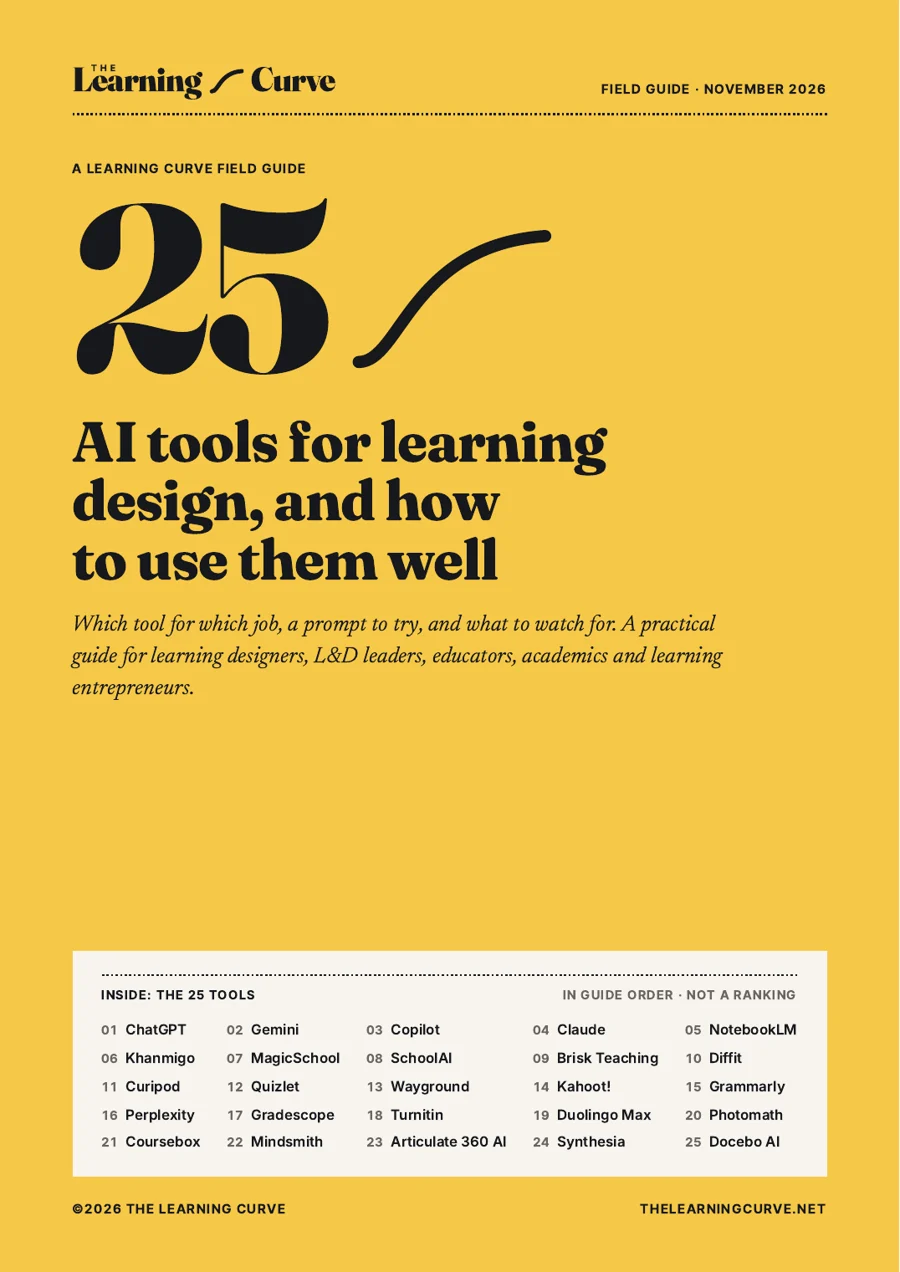
25 AI tools for learning design, and how to use them well
Which tool for which job, a prompt to try, and what to watch for. For learning designers, L&D leaders, educators, academics and learning entrepreneurs.
- 25 tool profiles, each with a use case, a prompt to try and a watch-out
- Five starting kits, one for each role, so you trial the right tools first
- A five-step method for using AI without losing the design judgement
- A 15-question checklist to put to any vendor before you buy
- Researched 9 November 2026
- Every source listed
- In guide order, not a ranking
- No vendor paid to be included
The state of AI in learning design
AI is already in the workflow. The question is whether you are using the right tools.
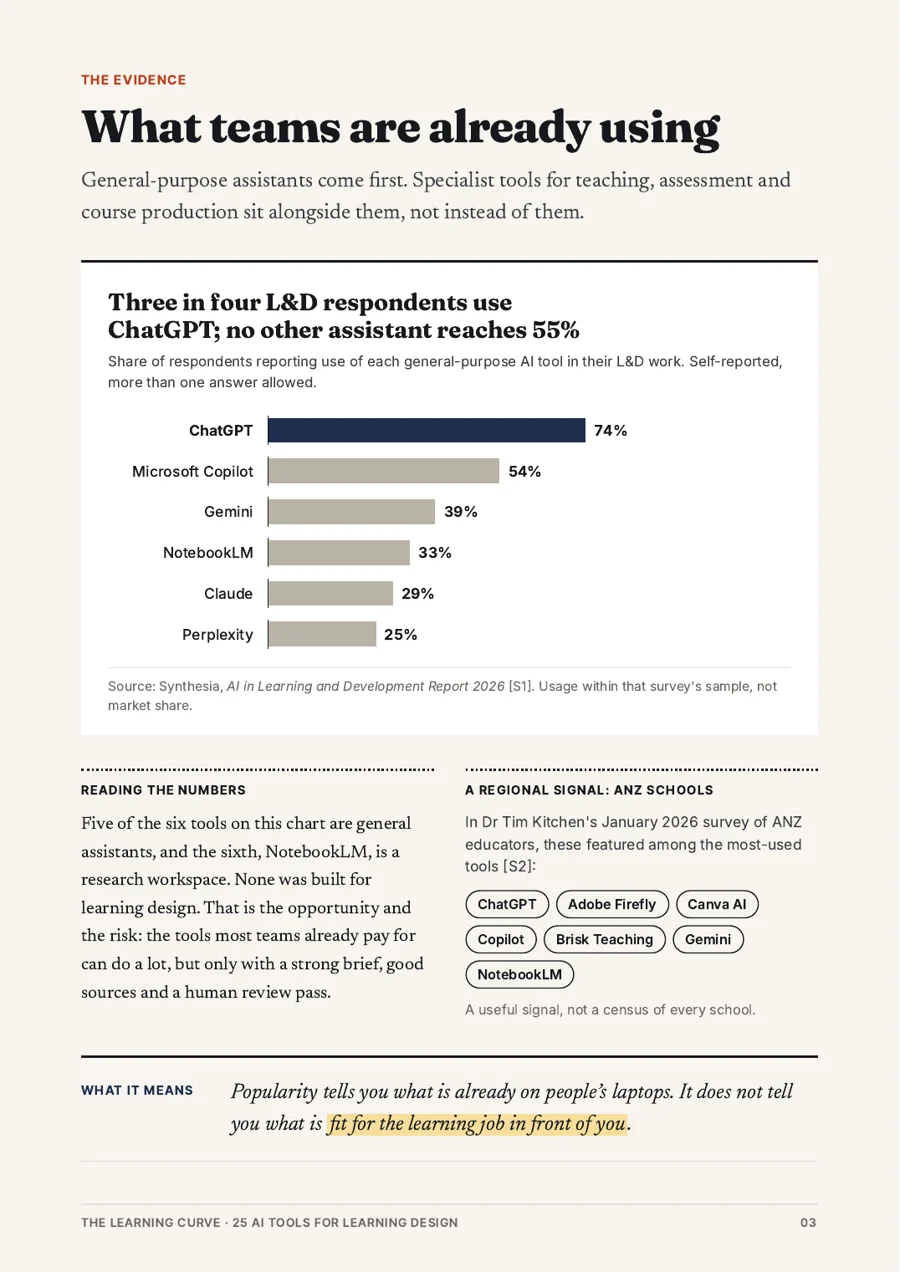
In Synthesia's survey of 421 L&D professionals, run in October and November 2025, most teams were already using AI. Time saved on content creation was the value they reported most. Security and accuracy were what held them back.
Three in four L&D respondents use ChatGPT at work; Copilot and Gemini follow
Share of 421 L&D respondents using each general-purpose AI tool in their L&D work, Oct–Nov 2025. More than one answer allowed
Interactive chart. The figures are in the table below.
Show the data
| Respondents using it | |
|---|---|
| ChatGPT | 74% |
| Microsoft Copilot | 54% |
| Gemini | 39% |
25 tools across eight jobs
Start with the work, not the most fashionable tool.
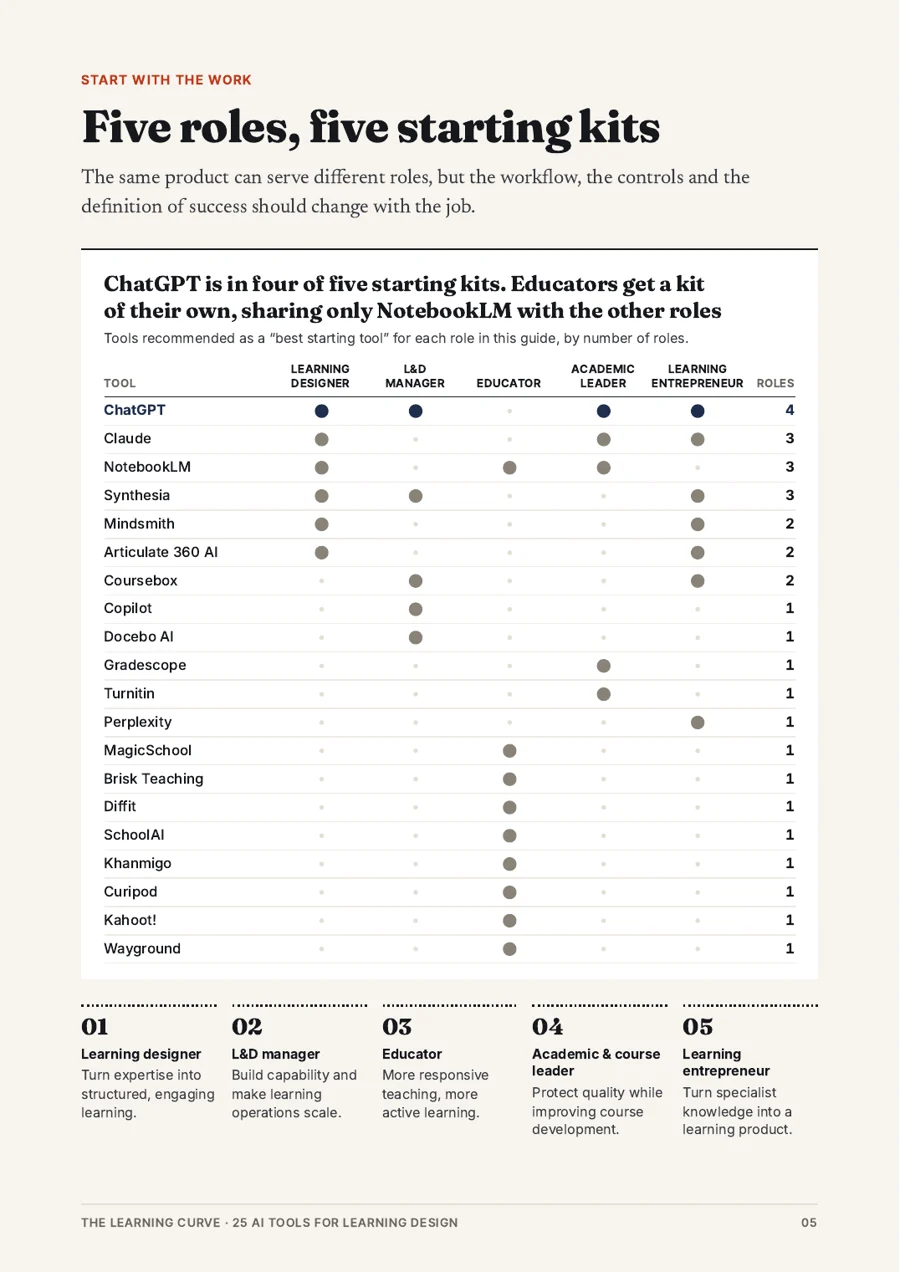
The guide groups its shortlist by the job each tool does best, then gives each role a starting kit. Pick your role to see yours.
Every tool, grouped by the job it does best.
-
4General assistants
Briefs, outlines, scenarios, critique.
-
2Research & sources
Build and question a source pack.
-
4Tutoring & practice
Questions and hints instead of answers.
-
3Teacher toolkits
Planning, differentiation, adaptation.
-
4Engagement & quizzing
Participation and retrieval practice.
-
3Assessment & integrity
Marking, feedback and integrity.
-
3Course authoring
From source document to draft course.
-
2Media & platforms
Video, and AI in the learning stack.
Grouping is The Learning Curve's editorial judgement, based on each tool's primary learning-design use. Several tools span more than one job. Each name links to its Discover profile: data privacy, learner oversight, teaching approach and output ownership, with the evidence behind each answer.
Define, ground, generate, judge, measure
Each step has a job for the tool, and a decision that stays with you.
A simple operating model, so a team can use AI consistently without turning every task into an ungoverned experiment.
- 01 DefineWhat performance or learning problem are we solving?What AI can doSummarise stakeholder notes; draft problem statements to choose from.What stays with youThe problem, the audience and what success looks like.
- 02 GroundWhat approved evidence, standards and context should the AI use?What AI can doOrganise a source pack; extract concepts, gaps and contradictions.What stays with youWhich sources count, and SME sign-off on them.
- 03 GenerateWhat draft, analysis or prototype will speed up the work?What AI can doOutlines, scenarios, items, scripts and first-draft media.What stays with youThe brief, the constraints and the design architecture.
- 04 JudgeWhat needs human review for accuracy, pedagogy, accessibility and risk?What AI can doCritique a draft against a rubric; flag missing practice.What stays with youThe call on quality. Nothing ships unreviewed.
- 05 MeasureWhat evidence will tell us whether the learning worked?What AI can doSummarise response data and surface patterns.What stays with youWhat counts as evidence of capability.
- Drafting a practice question
- Writing feedback on learner work
- Grading a student
- Advising on safety, or handling sensitive learner data
All 25 profiles, the five starting kits and the checklist, free.
Get the free guideWhat every profile gives you
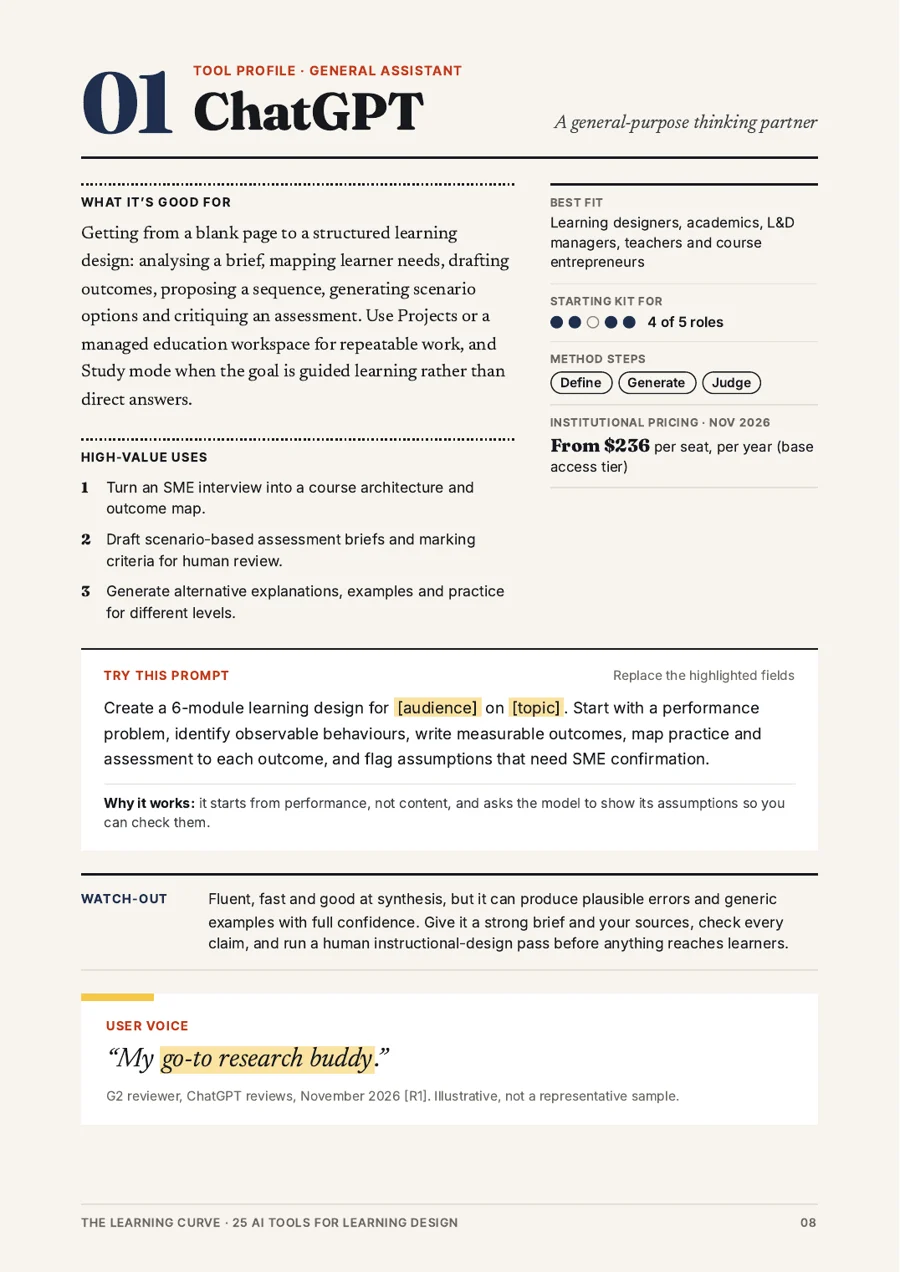
From profile 01 · ChatGPT
A prompt to test against a real brief
Create a 6-module learning design for [audience] on [topic]. Start with a performance problem, identify observable behaviours, write measurable outcomes, map practice and assessment to each outcome, and flag assumptions that need SME confirmation.
Why it works: It starts from performance, not content, and asks the model to show its assumptions so you can check them.- What it's good for, and three high-value uses
- Best fit by role, and where it sits in the method
- Institutional pricing, checked November 2026
- A real user voice, or a labelled practitioner note
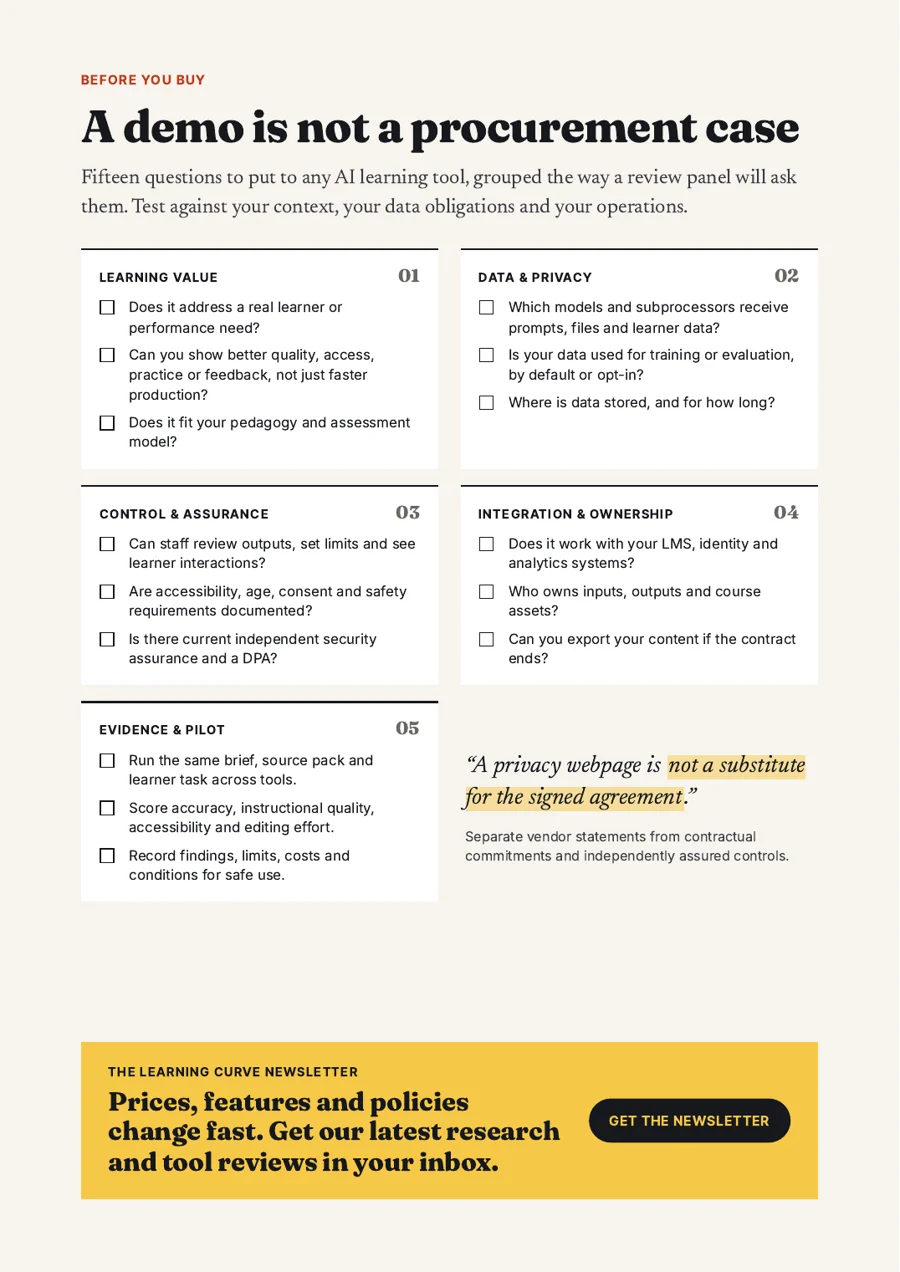
A demo is not a procurement case
Fifteen questions to put to any AI learning tool.
Grouped the way a review panel will ask them. Here's one from each group; the guide has all fifteen.
- 01 · Learning value
Can you show better quality, access, practice or feedback, not just faster production?
- 02 · Data & privacy
Is your data used for training or evaluation, by default or opt-in?
- 03 · Control & assurance
Can staff review outputs, set limits and see learner interactions?
- 04 · Integration & ownership
Who owns inputs, outputs and course assets?
- 05 · Evidence & pilot
Run the same brief, source pack and learner task across tools.
- + 10 more
In the guide, with how to run a fair pilot.
Get the field guide
25 tools, five starting kits, a repeatable method and the buying checklist. 41 pages, free.
About this guide
A practical shortlist for learning-design work, researched on 9 November 2026. It is not a universal ranking, and the recommendations are editorial judgements about fit, not benchmark scores. Features, prices and terms change often, so confirm current details with the vendor. Usage figures on this page come from Synthesia's AI in Learning and Development Report 2026 and apply to that survey's sample.
The Learning Curve is independent: no vendor paid to be included, and listings in Discover can't be bought. How we rate evidence · How we're funded